
GitHub#
Integration Details |
|
Ingester |
|
Kit |
GitHub Configuration#
[Option 1] Using Gravwell HTTP HEC Ingester#
Follow the instructions for setting up streaming to Splunk. For the configuration page point to your Gravwell HTTP ingester.
Navigate to your github enterprise page.
Go to: Settings > Audit Log > Log Streaming > Configure Stream > Splunk.
On the configuration page you will point th the public address and port of the Gravwell Ingester.
Ensure SSL verification check box is selected.
Click
Check endpointto verify github can connect and write to the Gravwell Ingester.Save.
If you would like to include API requests in your audit log streaming:
Navigate to your github enterprise page.
Go to: Settings > Audit Log > Settings > API Requests.
Select Enable API Request Events.Save.
[Option 2] Using WebHooks to export Logs#
Github provides webhooks for exporting logs depending on what you want to export for example for monitoring single repository, app, enterprise, global, etc. Follow the instructions for setting up:
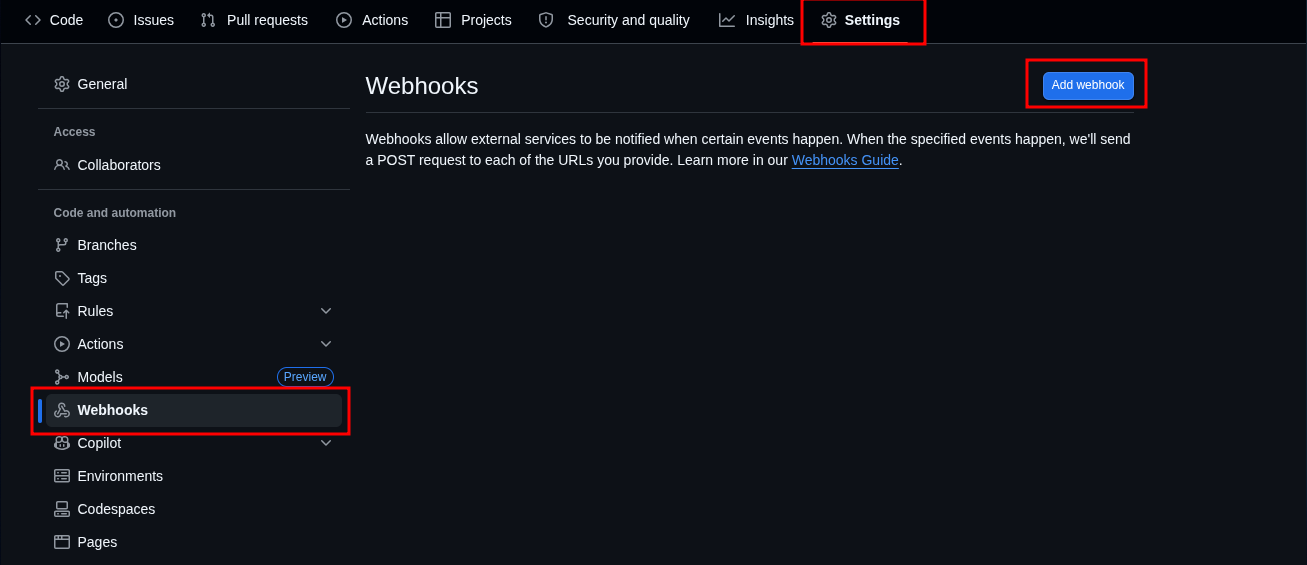
On the main page of the repository select: Settings > Webhooks > Add webhook
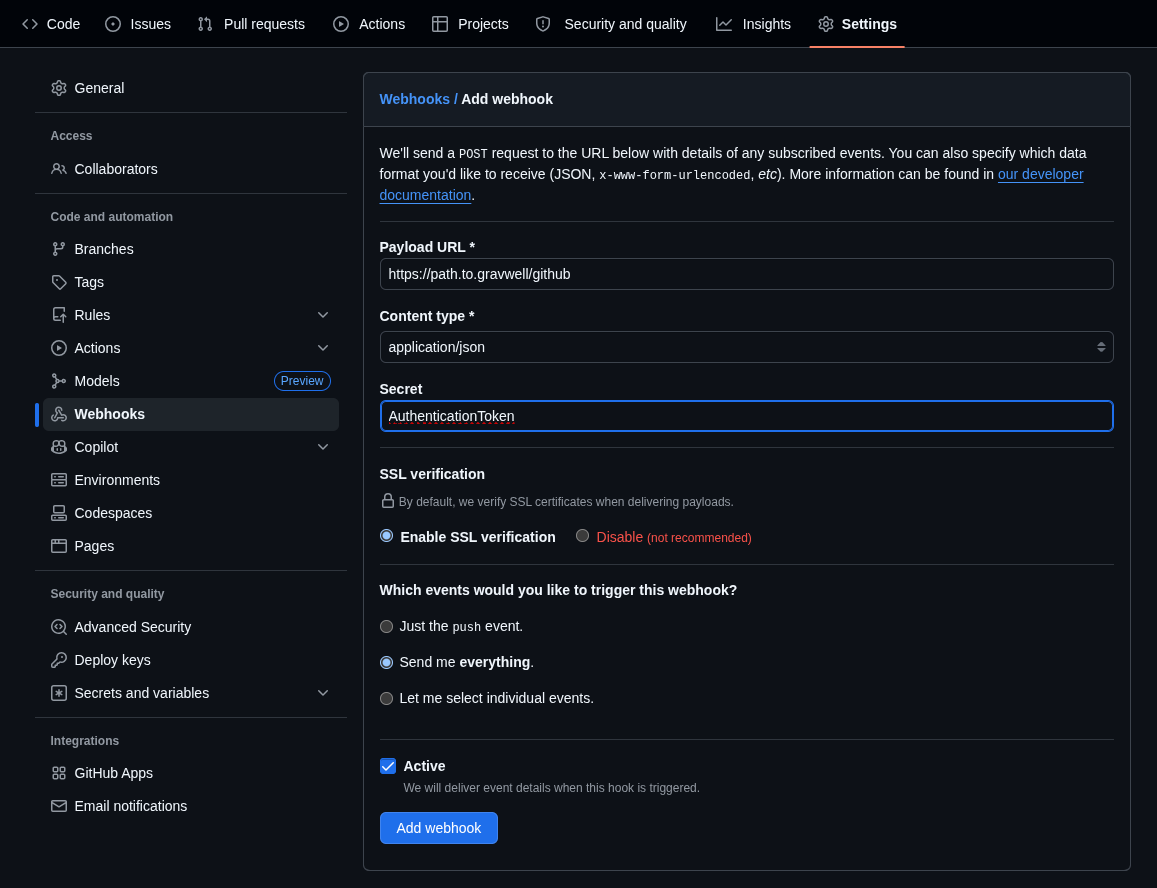
Fill out the following fields:
Payload URL:
Example:
https://path.to.gravwell/github
Content Type:
Example:
application/json
Secret:
Example:
AuthenticationToken
Which events would you like to trigger this webhook:
Example:
Send me everything
Gravwell Configuration#
Gravwell Storage Well Configuration#
Setup the well configuration in your Gravwell indexers.
Sample well config:
Create or edit: /opt/gravwell/etc/gravwell.conf.d/github-well.conf
[Storage-Well "github"]
    Location=/opt/gravwell/storage/github
    Tags=github*
Gravwell Ingester Configuration#
Setup the HTTP HEC configuration file.
[Option 1] Using Gravwell HTTP HEC Ingester#
Create or edit: /opt/gravwell/etc/gravwell_http_ingester.conf.d/github.conf
Sample Ingester config:
[HEC-Compatible-Listener "github"]
    URL="/services/collector"
    #TokenValue="AuthenticationToken"
    Health-Check-URL="/services/collector" # Github Validates the HEC endpoint
    Tag-Match=github:github
    Tag-Match=github-audit:github_audit
[Option 2] Streaming Logs#
Create or edit: /opt/gravwell/etc/gravwell_http_ingester.conf.d/github.conf
Sample Ingester config:
[Listener "github"]
    URL="/github"
    #TokenValue= "AuthenticationToken"
    Tag-Name=github
Note
Remember to restart the service to apply the new config:
sudo systemctl restart gravwell_http_ingester.service